

Let us face it: developing logic and creating applications are only two aspects of modern coding. Fixing errors, finding the correct syntax, comprehending novel code, or even figuring out why something that should function just does not take up a significant portion of a developer’s time. And that is precisely when productivity begins to decline.
However, such is no longer the case; AI coding assistants and developer tools have fundamentally altered the landscape. They help you write cleaner code, debug more quickly, comprehend complicated logic, and even pick up new ideas while you are on the road. They function as a smart companion sitting next to you.
The issue is that not all AI tools fulfill their promises. While some AI code assistants excel in documentation, debugging, or comprehensive project support, others are excellent at autocomplete. Selecting the appropriate one can significantly impact your workflow.
I made the decision to make things simpler for you because of this. In order to determine which AI coding assistants actually help you work more intelligently, quickly, and confidently, I investigated and contrasted some of the top models now on the market.
What are AI Coding Assistants?
AI coding assistants are clever technologies that help programmers with every step of the coding process. They make real-time code suggestions, aid in error debugging, and support a variety of programming languages, which makes it easier for developers to create and test programs.
Massive code repositories are used to train these huge language model-based systems. They get more adept at spotting patterns, producing pertinent code snippets, and finishing challenging tasks with little input as they are used more frequently.
AI coding tools adjust to various project requirements and code styles. While seasoned developers save time by automatically adhering to best practices, beginners gain from guided recommendations and learning support. In the end, these technologies free developers from tedious coding jobs so they can concentrate on creativity and problem-solving.
Best AI Coding Assistants for Developers at a Glance
Here is the quick overview of AI coding tools.
| S.No. | Tool Name | Best For | Learning Curve | Pricing Model | Supported IDEs / Platforms | Key Capabilities | Ideal User Type |
|---|---|---|---|---|---|---|---|
| 1 | Codex | Code generation via API | Medium | Paid (API-based) | API, integrations | Natural language to code, automation scripts | Developers building AI tools |
| 2 | Claude Code | Large codebase reasoning | Medium | Paid | API, Web, integrations | Long context understanding, debugging, refactoring | Advanced developers |
| 3 | Amazon Q Developer | Large-scale AWS projects | Medium | Paid | VS Code, JetBrains, CLI | AWS-aware code generation, code reviews, and documentation agents | Enterprise cloud teams |
| 4 | GitHub Copilot | Day-to-day development | Low | Paid | VS Code, JetBrains, Neovim | Inline code completion, explanations, IaC support | Individual devs & teams |
| 5 | Cursor AI | AI-first development workflows | Medium | Paid | Cursor IDE (VS Code fork) | Agent mode, multi-file edits, iterative execution | Advanced developers |
| 6 | Devin AI | Autonomous task execution | High | Paid | Cloud-based environment | End-to-end task planning, execution, and deployment | Product & engineering orgs |
| 7 | Amazon CodeWhisperer | Secure cloud coding | Low-Medium | Free & Paid | VS Code, JetBrains, AWS IDEs | Security scanning, function completion | Cloud-focused developers |
| 8 | Codiga | Code quality enforcement | Low | Paid | VS Code, JetBrains | Static analysis, secure coding rules | Teams focused on standards |
| 9 | Google Gemini Code Assist | Google Cloud development | Medium | Paid | VS Code, JetBrains, Cloud Shell | Gemini-powered suggestions, citation-backed code | GCP users |
| 10 | Ponicode | Unit testing automation | Medium | Paid | VS Code, JetBrains | Auto unit test generation, edge-case detection | Test-driven developers |
| 11 | Replit AI | Learning & rapid prototyping | Low | Free & Paid | Replit Web IDE | AI autocomplete, instant debugging | Students & beginners |
| 12 | Tabnine | Privacy-sensitive environments | Low-Medium | Free & Paid | All major IDEs | On-prem deployment, private models | Security-conscious teams |
| 13 | Blackbox AI | Code discovery & reuse | Low | Free & Paid | Browser, IDE plugins | Code search, snippet generation | Fast-moving developers |
| 14 | Codeium | Free AI-assisted coding | Low | Free | VS Code, JetBrains | Unlimited autocomplete, fast responses | Beginners & startups |
Top AI Coding Tools For Developers
The expansion of interest in AI coding tools is leading to a rich terrain of options. These can be differentiated into commercial closed-closure products and open-source projects/frameworks. Both of their goals are to offer the same AI coding assistance, but come with different philosophies and trade-offs.
1. Claude Code
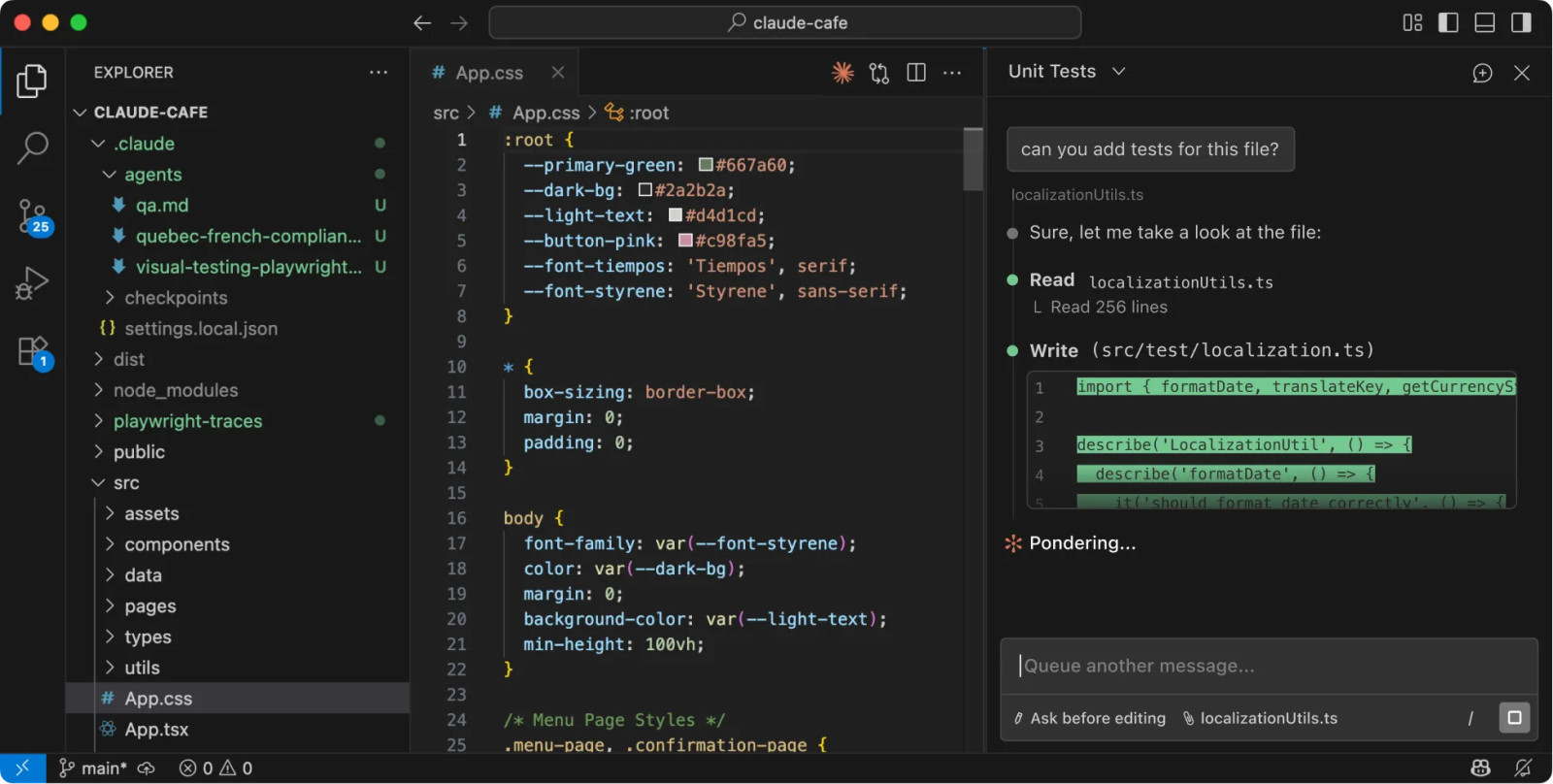
Claude Code works like a thoughtful coding assistant that focuses on understanding context deeply before generating code. It is especially strong when working with complex logic, long code files, or detailed problem-solving. Instead of just suggesting lines, it helps you reason through problems and write more structured, readable code.
- Code Suggestions – It provides intelligent and context-aware code suggestions, especially useful when working with large codebases or complex logic. It focuses more on accuracy than speed.
- Code Explanation – It explains code in a clear and detailed way, making it easier to understand difficult concepts or unfamiliar implementations. This is helpful for both learning and debugging.
- Problem Solving – It can break down complex programming problems into smaller steps and guide you through the solution logically.
- Long Context Handling – It can process and understand larger files or multiple code sections better than many other tools.
Pros and Cons of Claude Code
| Pros | Cons |
| Strong reasoning and problem-solving ability | Slower than autocomplete-focused tools |
| Handles large code context well | Not tightly integrated with all IDEs |
| Clear and detailed explanations | Limited real-time inline suggestions |
Price:
- Free plan available (limited usage)
- Paid plans start at $17/month (depending on usage tier)
My Verdict
Claude Code feels more like a thinking partner than just a coding assistant. It works best when solving complex problems or understanding large codebases. While it may not be the fastest for quick suggestions, it excels in accuracy and depth.
2. ChatGPT Codex
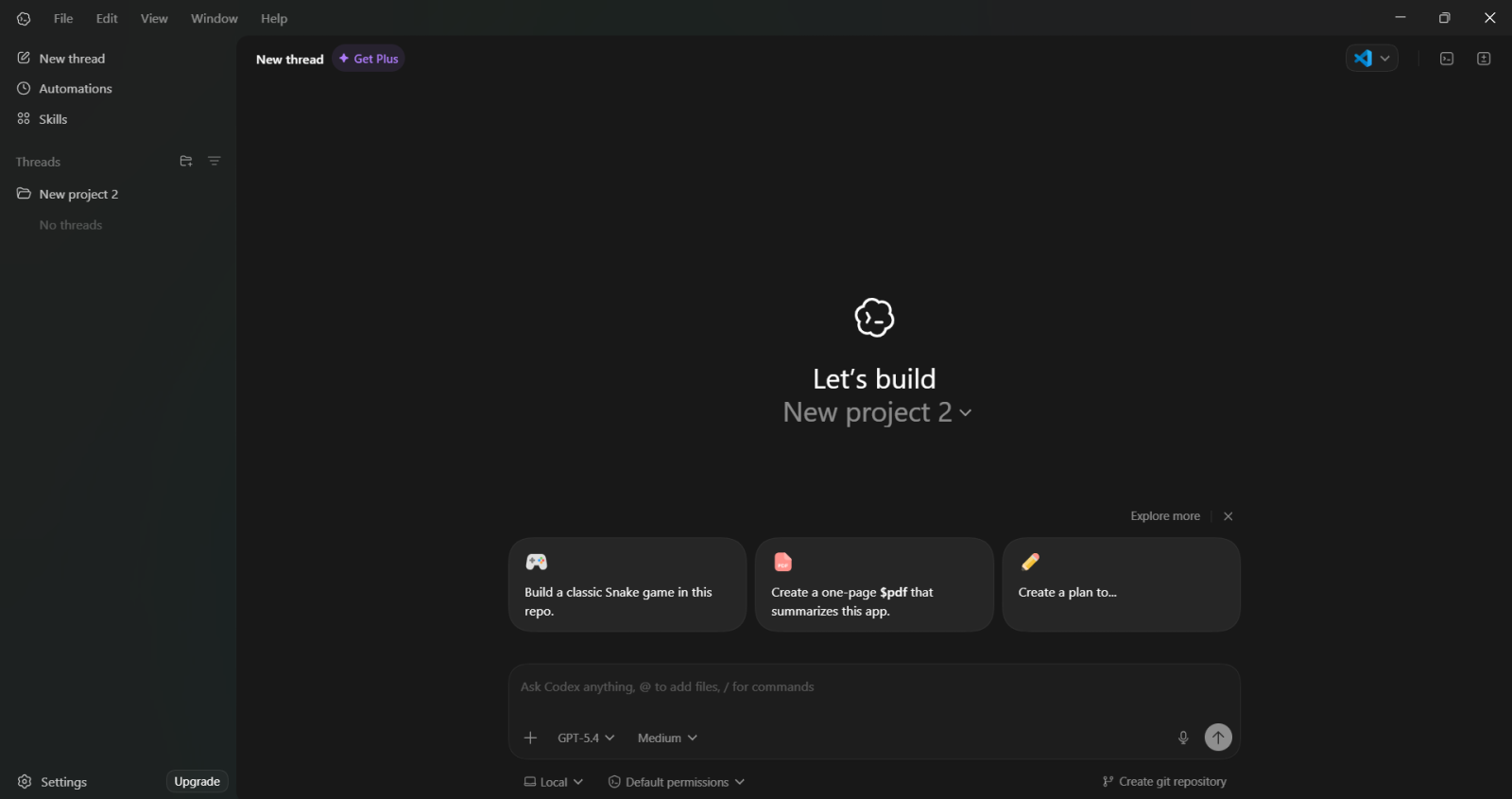
OpenAI’s Codex is a versatile coding assistant that helps you write, debug, and understand code in natural language. It allows you to describe what you want to build, and it generates code accordingly. It is especially useful for quick development, learning new concepts, and automating repetitive tasks.
- Code Generation – It can generate complete code snippets or even full functions based on simple instructions. This makes it useful for rapid development and prototyping.
- Code Explanation – It explains code clearly, helping developers understand logic, fix bugs, and learn new programming concepts.
- Debugging Support – It identifies issues in code and suggests possible fixes, improving development speed.
- Multi-language Support – It supports a wide range of programming languages, including Python, JavaScript, Java, C++, and more.
Pros and Cons of ChatGPT Codex
| Pros | Cons |
| Excellent for code generation and learning | Requires manual validation of output |
| Supports multiple languages | Not always context-aware across large projects |
| Helpful for debugging and explanations | Can generate incorrect logic in edge cases |
Price:
- Free plan (limited usage)
- $20/month (ChatGPT Plus / Pro tiers)
My Verdict
ChatGPT Codex is a flexible and beginner-friendly coding tool. It is great for generating code quickly and understanding concepts, but it still requires careful review for accuracy, especially in production-level code.
3. Amazon Q Developer (AWS)
Within the AWS ecosystem, developers can create, debug, and maintain applications more quickly with the aid of Amazon Q Developer, an AI-powered tool. It comprehends your code, makes suggestions for enhancements, and assists in automating processes like creating queries or resolving problems. Using AWS services can greatly streamline your development process and increase output. It provides a CLI agent and integrates with JetBrains IDEs and Visual Studio Code via a plugin.
This system, which includes ‘/dev’ agents that deploy features with different file changes, was created to manage large projects and different duties. Diagrams and documentation are handled via ‘/doc’ agents. And for automated code review, use ‘/review’.
It is even more appealing to businesses who are currently using AWS because it integrates with AWS cloud services (IAM control, cloud API access, and more).
It is offered as a managed service and is closed-source, with usage-based charging.
Because Amazon Q can be made to not retain the code and operate in AWS’s compliance habitat, it signifies its enterprise-grade security.
Pros and Cons of Amazon Q Developer
| Pros | Cons |
| Deep integration with AWS services | Limited usefulness outside AWS |
| Enterprise-grade security and compliance | Best suited for cloud-heavy teams |
| Supports documentation and code review agents | Learning curve for new users |
Price:
- Free tier available
- $19/month (Pro)
My Verdict
While using Amazon Q Developer, I noticed it performs best in AWS-focused environments. It understands cloud services, IAM roles, and infrastructure logic quite well. However, when used for general-purpose coding, its suggestions feel less relevant. It’s a strong choice for organizations already committed to AWS.
4. GitHub Copilot
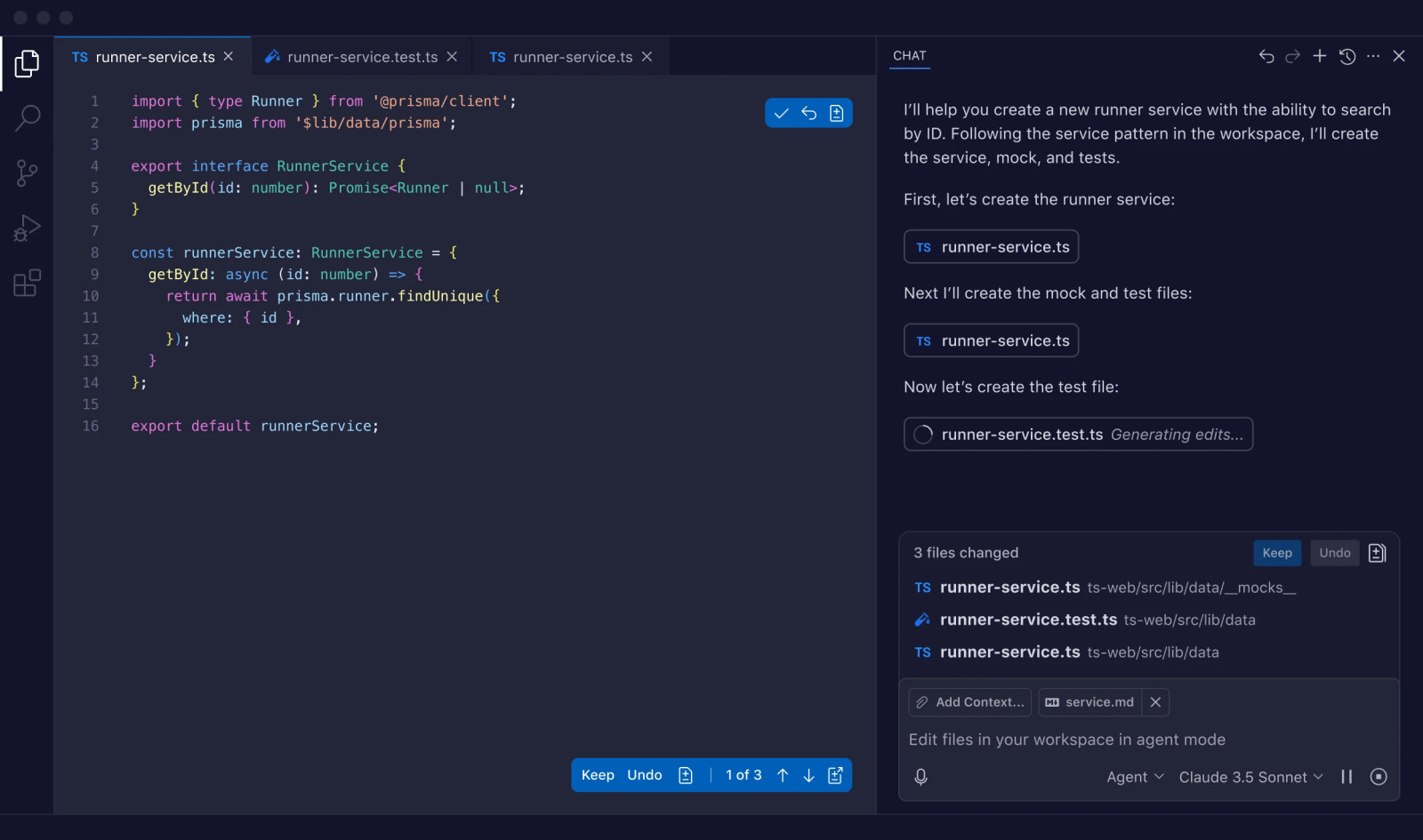
GitHub Copilot is like having an intelligent coding companion right inside your editor. It suggests code as you type, helps complete functions and even generates entire blocks based on context. Whether you are learning or building complex projects, it speeds up development and reduces repetitive work significantly.
- Code Suggestions – It gives real-time suggestions to users as they type it. These codes can be accepted by pressing the Tab key. This feature works well with different programming languages like Python, JavaScript, TypeScript, Ruby, Go, C#, and C++.
- Code Explanation – It gives an explanation when asked by explaining a specific line of code or a complete file. This is useful for understanding unfamiliar codebases or debugging.
- Generate Queries – It can guide in generating queries for databases, APIs and frameworks to build and integrate with different systems.
- It can also help with infrastructure as code development by giving suggestions for tools like Terraform and Kubernetes.
Pros and Cons of GitHub Copilot
| Pros | Cons |
| Fast and context-aware code suggestions | Fully paid tool |
| Supports multiple languages and frameworks | Requires review for complex logic |
| Easy integration with popular IDEs | Limited control over generated output |
Price:
- $10/month (Individual)
- $19/month (Business)
- Free for students (limited cases)
My Verdict
GitHub Copilot felt like a natural extension of my editor. It speeds up daily coding tasks and reduces boilerplate work. For standard use cases, it performs consistently well, but I still rely on manual checks for edge cases and security-sensitive logic.
Read Also- how to make money using gemini
5. Cursor AI
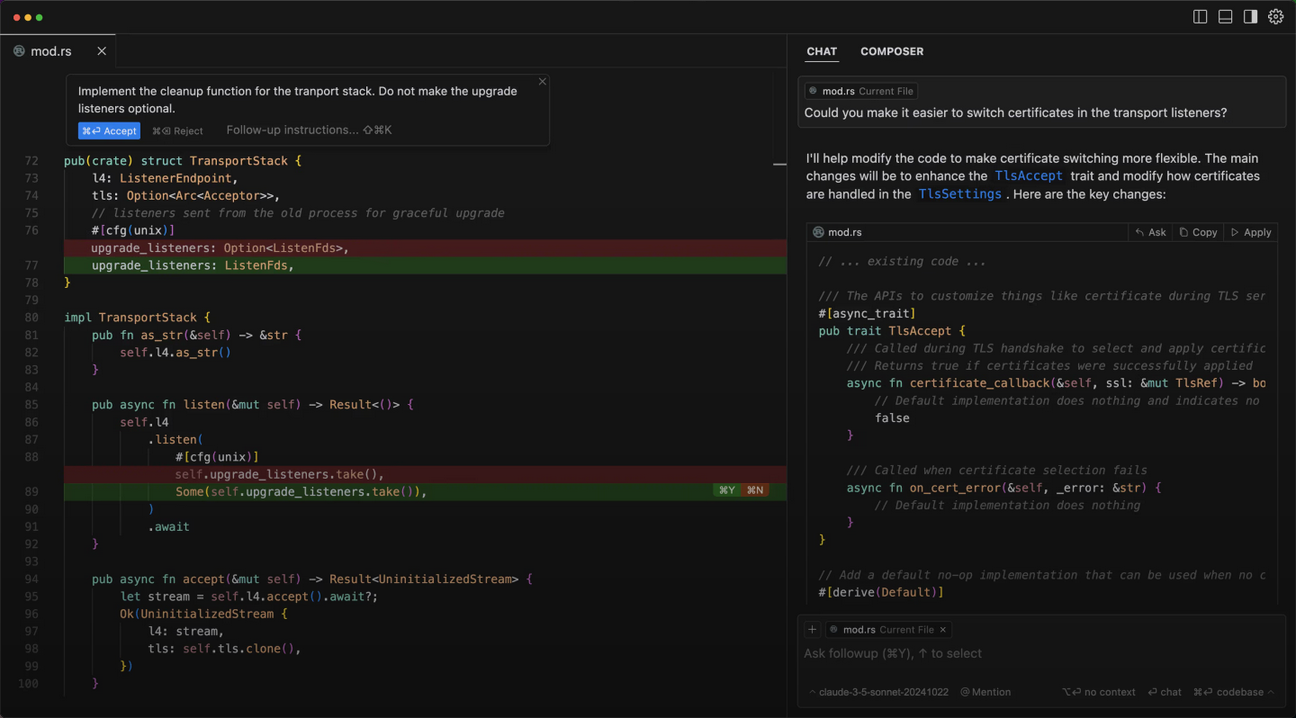
A contemporary AI-powered code editor called Cursor AI was created to speed up and improve the usability of development. It comprehends your whole codebase, assists you in writing and reworking code, and provides solutions to queries right within your project. It feels more like a wise teammate helping you as you build than a tool.
In its “agent mode,” you can set a high-level goal for it, and it will attempt to generate and modify files to achieve it.
It involves iterating and running code, both of which are highly susceptible to impact.
Since Cursor’s coding helper is expected to use OpenAI/Anthropic models, the editor may use open comments, but the AI service behind it is closed.
Power users that desire an AI-first development ecosystem are the target market for this subscription service.
Pros and Cons of Cursor AI
| Pros | Cons |
| Agent mode enables multi-file changes | Requires trust in AI decisions |
| Built as an AI-first code editor | Not ideal for small, quick edits |
| Good at refactoring and restructuring | Subscription-based |
Price:
- $20/month (Pro plan)
- Free tier available (limited usage)
My Verdict
Cursor AI works best when given high-level goals rather than line-by-line instructions. It’s effective for refactoring and feature implementation, but it takes time to get comfortable with how much control to delegate to the agent.
6. Devin
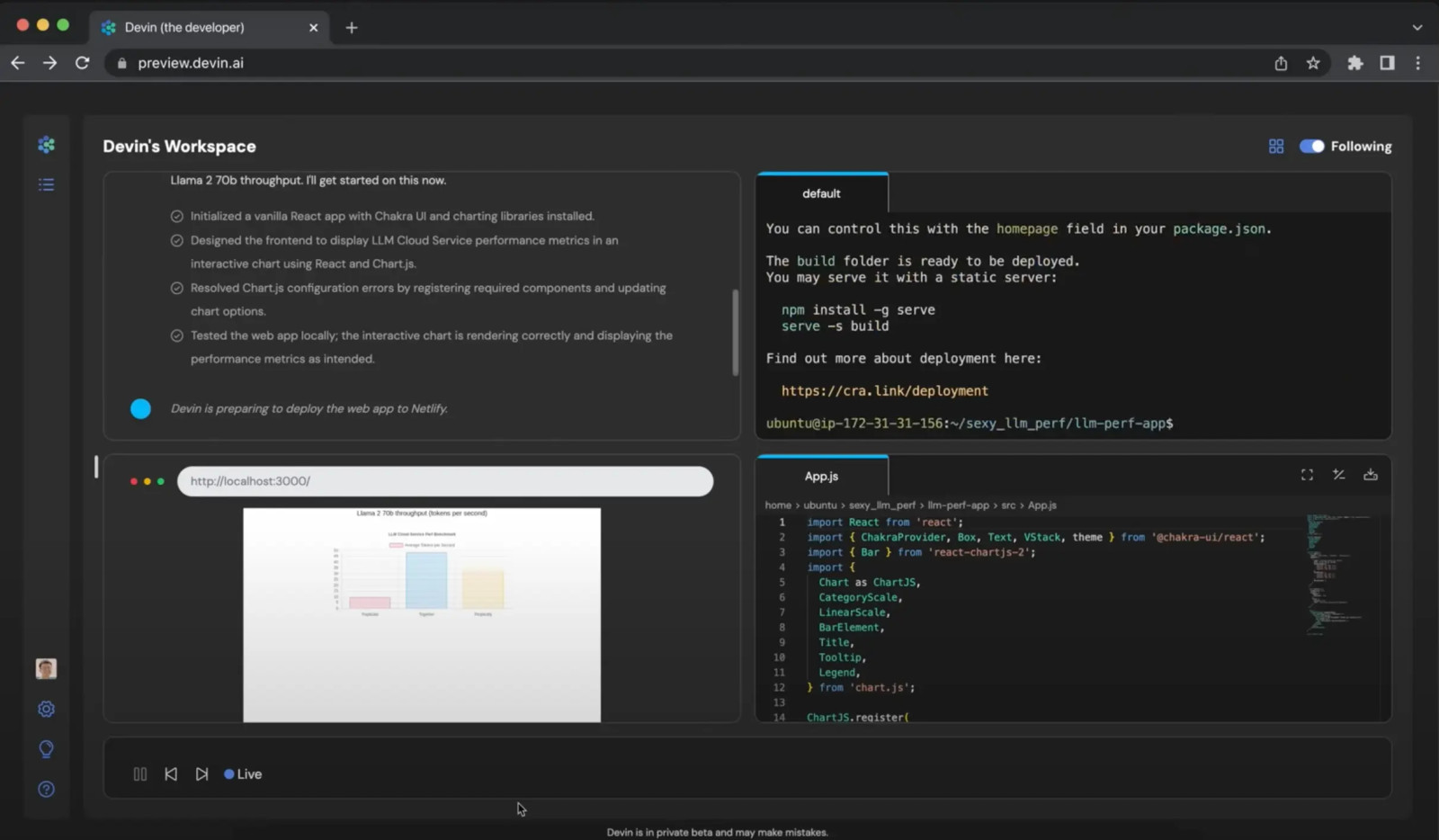
Pros and Cons of Devin
The objective of Devin, a commercial AI coding agent, is to perform the functions of a full-fledged software engineer. It has access to a terminal, an editor, and web capabilities and is run in a regulated computing environment.
It can execute code while preserving context, display its implementation plan to users, and handle development activities via natural language commands.
possesses the capacity to look up information online and make adjustments based on feedback.
13.86% of issues were repaired independently, according to the early benchmarks, which showed remarkable results.
With the addition of multi-agent coordination capabilities in recent versions, this can handle jobs ranging from quickly creating websites to deploying ML models.
It is most effective for businesses who are at ease with cloud-based development and that prioritize self-sufficiency over customization.
| Pros | Cons |
| Handles tasks end-to-end | High learning curve |
| Operates with terminal and browser access | Less transparency in execution |
| Useful for automation-heavy workflows | Not ideal for fine-grained coding |
Price:
- Core Plan (Entry Level): Starts at $20/month
- For team- $500/month
My Verdict
Devin feels more like a junior engineer than a typical coding tool. It’s impressive in how it plans and executes tasks, but close supervision is necessary to ensure quality and correctness, especially in production environments.
7. Amazon CodeWhisperer

Pros and Cons of Amazon Code
WhispererAmazon’s cutting-edge AI technology powers Amazon CodeWhisperer, which transforms the way people approach coding. It increases accuracy and speeds up the process of writing code. It quickly generates documentation and provides functionalities and smart code recommendations.
Suggests Code: With its clever features and personalized snippets, this tool streamlines the entire coding process.
Produces Documentation: This feature automatically generates comprehensive code documentation, such as function summaries and return values. By offering well-documented projects, it enables customers to save time.
Multiple Language Support: Kotlin, SQL, Python, and many other programming languages are supported.
Function Completion: This functionality streamlines workflow by recommending future lines. It works well for repetitive jobs that call for complex reasoning.
| Pros | Cons |
| Strong focus on secure coding | Suggestions can feel conservative |
| Good cloud and infrastructure support | Less creative for custom logic |
| Multi-language support | Best results in AWS environments |
Price:
- Free for individual developers
- Paid plans for organizations
My Verdict
CodeWhisperer is reliable for secure and structured coding tasks. It’s particularly useful when working with cloud services, though it doesn’t always shine in experimental or unconventional coding scenarios.
Also Read- what is blackbox ai ? full information
8. Codiga
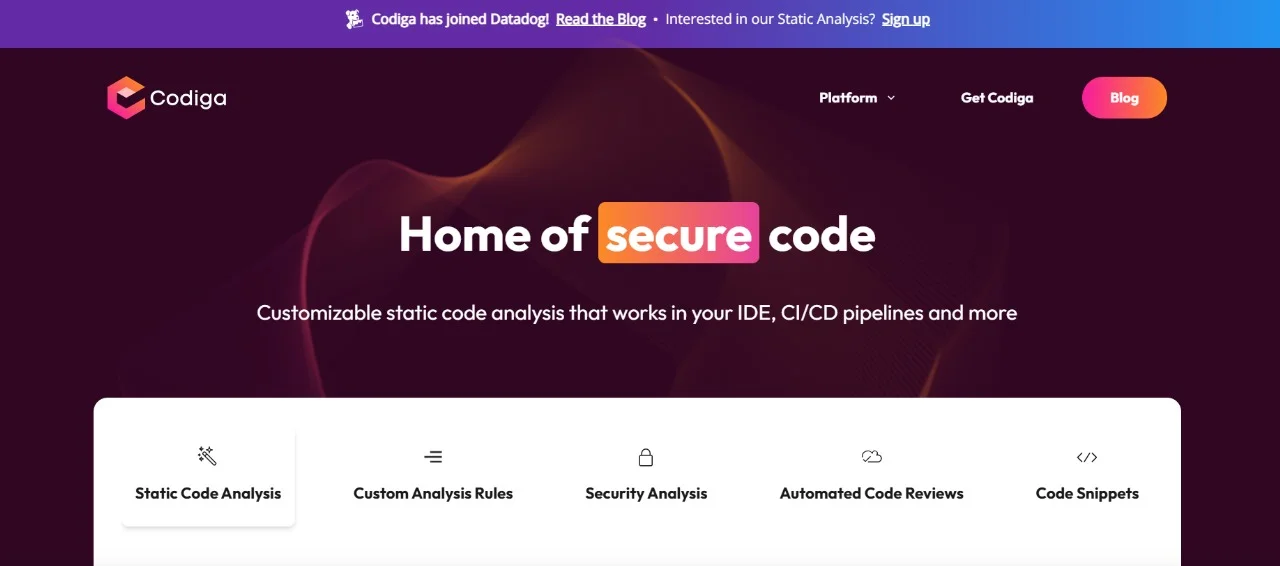
Codinga brings transformation in the development process with its enlightened code optimization, effective support and explicit autocomplete suggestions. It maintains the quality of code and standards while efficiently running the code process.
- Code Completion – This feature gives effective code suggestions to save time and minimize usual coding errors.
- Language Compatibility – It has broad compatibility when it comes to diverse programming languages.
- Static Code Analysis – It has powerful analysis abilities to highlight possible errors and vulnerabilities in the code before it reaches production.
Pros and Cons of Codiga
| Pros | Cons |
| Strong static code analysis | Not a full coding assistant |
| Helps enforce coding standards | Limited code generation |
| Identifies vulnerabilities early | Best used alongside other tools |
Price:
- Basic- $0
- Silver (Ideal for small companies with few repositories under 300Kslocs)- $10/user/month
- Gold- $18/user/month
My Verdict
I mainly used Codiga as a quality control tool. It’s effective for maintaining clean and secure codebases, but it complements rather than replaces AI code generation tools.
9. Gemini Code Assist (Duet AI for Developers)
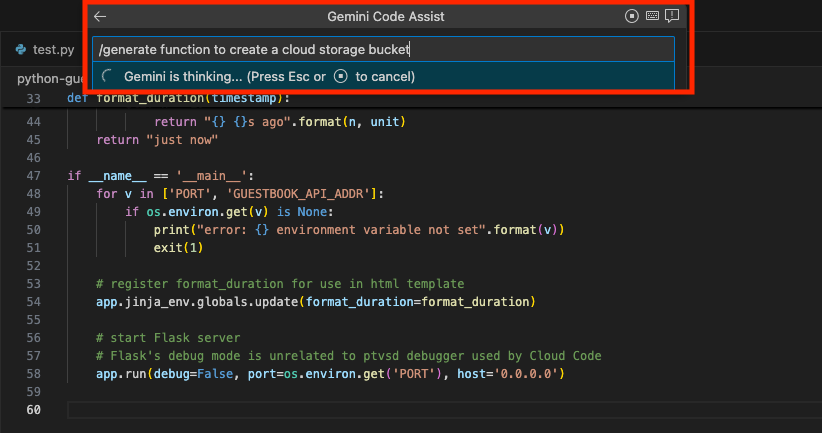
Pros and Cons of Google Gemini Code Assist
This Google solution was introduced in 2024 and is a component of its broader Duet AI. Google’s Gemini LLM is utilized by this technology (it is used for coding).
Within Google Cloud environments, Gemini Code Assist facilitates the writing, reviewing, and improvement of code. It expedites development work, provides code suggestions, and clarifies reasoning. Developers that deal with cloud-based applications and desire quicker processes and more efficient coding may find it extremely helpful.
It offers chat, code generation, and code completion.
Through plugins, this technology is compatible with well-known IDEs and Google Cloud’s products (Cloud Shell, Cloud Workstations).
It provides citations for the code it suggests, making it easy for developers to validate recommendations.
It is hosted on GCP, is closed-source, and appeals to Google Cloud users who have faith in Google’s AI capabilities.
| Pros | Cons |
| Citation-backed code suggestions | Best suited for GCP users |
| Strong cloud integration | Paid offering |
| Supports chat and code completion | Limited value outside the Google ecosystem |
Price:
- $19/month (estimated standard plan)
- Enterprise pricing available
My Verdict
Gemini Code Assist works well when developing within Google Cloud. The citation feature adds confidence, though its full potential is realized only in GCP-aligned projects.
10. Ponicode
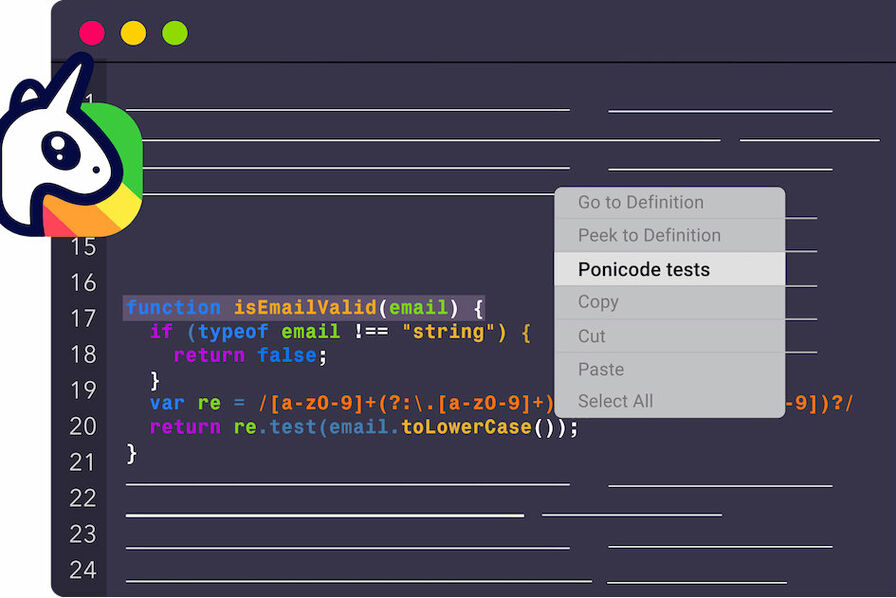
Poniode is an amazing coding tool for unit test automation. It simplifies and speeds up unit test creation for developers. It’s great to work on test-driven development and improve code quality. It connects with IDEs to produce unit tests across different programming languages.
- This tool produces unit tests naturally for multiple languages.
- It finds edge cases and suggests improvements.
- It also integrates with popular platforms like GitHub and Bitbucket.
- It catches bugs and gives higher code coverage with less effort.
Pros and Cons of Ponicode
| Pros | Cons |
| Automated unit test generation | Narrow use case |
| Improves test coverage | Not meant for general coding |
| Integrates with popular IDEs | Paid tool |
Price:
- Paid tool (Custom Pricing / enterprise-focused)
My Verdict
Ponicode helped speed up test creation, especially in test-driven workflows. It’s valuable for improving coverage, but it isn’t something I’d use outside testing-focused tasks.